THE PLAYBOOK · GZCKKS
Getting started with Jigsaw Puzzle
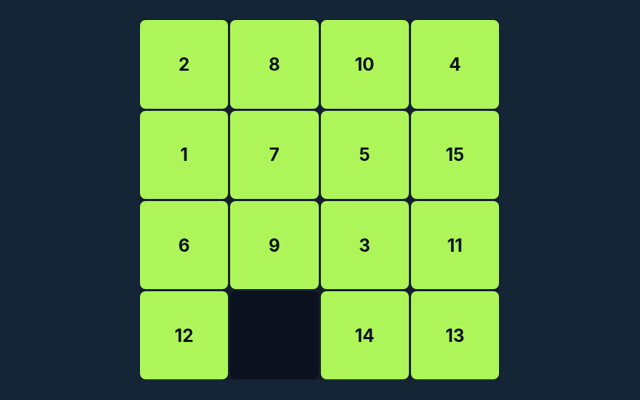
Jigsaw Puzzle gives you a focused activity to play in your browser. Restore the sixteen image tiles to their correct positions. Look at what changes after your first action. Choose a comfortable screen position before beginning. Keep the game area visible while you use its controls.
Restore a 4×4 landscape by exchanging two pieces at a time. Progress in this puzzle is not saved after you leave the page.
One thing to notice as you play
Keep the stated aim separate from side details such as animation or appearance. Progress is measured by the game’s own completion or scoring rules. Keep the objective visible.
What the game asks you to do
Restore the sixteen image tiles to their correct positions. The feedback beside the game helps you follow the round. Notice how the game responds to your input.
Follow these playing steps
- Select two pieces to swap.
- Desktop dragging can also swap tiles.
- Compare edges and the reference picture.
- Complete the image.
Your inputs
Tap two tiles; desktop drag-and-drop is also available. Use the control method described here for this activity. Make sure you are interacting with the game rather than the surrounding page.
See how the rules apply
The horizon should continue across neighbouring tiles. Compare this with the rule that governs the move. Consider the next action carefully.
A mistake to avoid
This is a square-tile swap puzzle, not interlocking freeform pieces. A different version of the game may use a different rule. Read one step at a time and try it on the playing area. Match the instruction to the control you use.
Answers about the rules and controls
For a quick reminder, what is the goal of Jigsaw Puzzle?
The key detail is this: Restore the sixteen image tiles to their correct positions.
As a new player, how do I control Jigsaw Puzzle?
Here is the relevant explanation: Tap two tiles; desktop drag-and-drop is also available.
Before I begin, what example helps explain Jigsaw Puzzle?
The key detail is this: The horizon should continue across neighbouring tiles.
As a new player, what should I watch out for in Jigsaw Puzzle?
For clarity: This is a square-tile swap puzzle, not interlocking freeform pieces.
When I return, what format does Jigsaw Puzzle offer?
For clarity: Restore a 4×4 landscape by exchanging two pieces at a time. Progress in this puzzle is not saved after you leave the page.
For this browser game, which play mode does Jigsaw Puzzle use?
For clarity: The mode on this page is Solo. Same-device play uses one screen; this game library does not provide internet matchmaking.